There is no cost to use the Cricut machines; however, you must provide your own supplies. Learn more about which materials can be used from this material list.
Cricut Products in the Makerspace at Leonardtown Library
The Makerspace at Leonardtown Library has a Cricut Maker, Cricut Maker 3, and Cricut Explore Air available for use during Makerspace open hours. We also have a Cricut Heat Press for transferring heat transfer vinyl to fabric and a Cricut Mug Press for transferring infusible ink to a compatible mug.
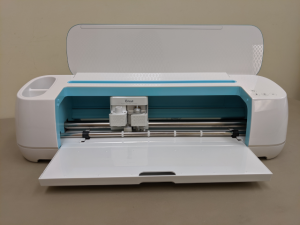
Cricut Products in the Makerspace at Lexington Park Library
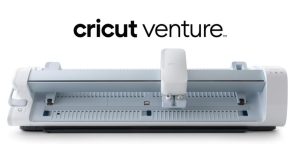
The Makerspace at Lexington Park Library has two Cricut Makers and a Cricut Venture (wide format, up to 75 ft.) available for use during Makerspace open hours. We also have a Cricut Heat Press and a 15″x15’” HTVONT Auto Heat Press for transferring heat transfer vinyl to fabric and a Cricut Mug Press for transferring infusible ink to a compatible mug.
What You’ll Need
- Your login information for your own Cricut Design Space account.
- A design created using Cricut Design Space. Design your own or purchase pre-made designs from Cricut.
- If you have purchased specific fonts on your own, please bring a laptop with the fonts installed. You will not be able to access purchased fonts on the Makerspace laptops.
- Any material needed to create your design: vinyl, HTV, cardstock, transfer tape, infusible ink transfer sheets (also sold as sublimation ink transfer sheets), etc.
- We have cutting mats and various blades available for use or you may bring your own Cricut brand mat/tools.
Tutorials and Resources
- Beginner’s Guide to Cricut
- Cricut User Manuals
- Official Cricut Youtube Channel
- New to Cricut Playlist
- About Cricut Design Space
Overview of Design Space, project tutorials, manuals and handouts, and more - Using the Cricut Press
- Using the Cricut Mug Press
- Cricut Blog
Get inspired!